WhatsApp In Desktop
Now you can use WhatsApp in your Desktop-Authorized Announcement From WhatsApp
To use WhatsApp in Desktop:
1)First you need to go to WhatsApp website - https://web.whatsapp.com/

2)After that you have to scan the QR code with your mobile which is available in the website .You need to have QR Code reader to scan the QR code so if you don't have QR code reader Install it from playstore
3)Before that You need to have the updated WhtasApp to do this .
4)Now open the updated WhatsApp in your mobile and click menu and click WhatsAppWeb as show in the above .
5)It will open a QR Code Reader ,scan the QR code which is available in the webpage.
6)That's it now you directly redirected to your WhatsApp page in your browser.
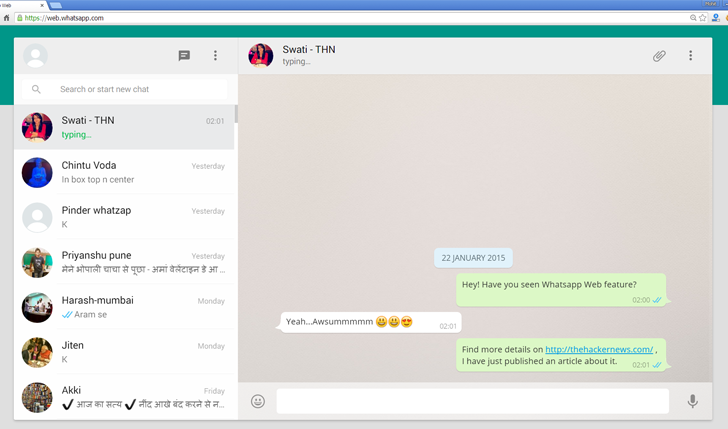
7)But your phone needs to be connected to data connection while you use WhatsApp in Browser for synchronizing your data from mobile to desktop....enjoy using WhatsApp in desktop...............
Now you can use WhatsApp in your Desktop-Authorized Announcement From WhatsApp
To use WhatsApp in Desktop:
1)First you need to go to WhatsApp website - https://web.whatsapp.com/
2)After that you have to scan the QR code with your mobile which is available in the website .You need to have QR Code reader to scan the QR code so if you don't have QR code reader Install it from playstore
3)Before that You need to have the updated WhtasApp to do this .
4)Now open the updated WhatsApp in your mobile and click menu and click WhatsAppWeb as show in the above .
5)It will open a QR Code Reader ,scan the QR code which is available in the webpage.
6)That's it now you directly redirected to your WhatsApp page in your browser.
7)But your phone needs to be connected to data connection while you use WhatsApp in Browser for synchronizing your data from mobile to desktop....enjoy using WhatsApp in desktop...............